
Turn Your Devices From Distractions Into Time Savers
Declutter your digital workspace, save time with shortcuts and leverage an AI helper
By NICOLE NGUYEN
Mon, Jan 22, 2024 9:31am 4 min
4 min
4 min


Declutter your digital workspace, save time with shortcuts and leverage an AI helper
4 min
Every January, I usually purge old snail mail, clothes and unwanted knickknacks to start the year anew. This time, I focused on my digital spaces instead.
My virtual Marie Kondo-ing forced me to think about the indispensable apps and features on my devices—and on the flip side, the time thieves that make it hard to leave the couch. (Looking at you, YouTube.)
What did I learn? The most important thing we can do to improve our digital spaces is kill the wormholes. After culling apps on my devices, deleting Instagram from my iPad made the biggest impact. But there were many more.
I also learned that small tweaks—such as adding helpful shortcuts and setting up your screen only around essential apps—can make a difference. I’ve been spending less time on my devices, and I’m now more efficient at work. Here are some takeaways from the exercise that can help you turn distracting devices into time savers.
Cal Newport’s book “Digital Minimalism: Choosing a Focused Life in a Noisy World” inspired me to get rid of the junk on my phone and laptop. Clutter, even in digital form, is stressful, Newport writes. I could relate: I felt overwhelmed every time I turned on my devices.
Digital clutter includes unnecessary files on your computer desktop, promotional emails clogging your inbox and unused apps on your phone. I found that the most satisfying cleanse was clearing my phone’s default home screen—what I see as soon as I unlock the device.
An iPhone app called Blank Spaces (one-week free trial, then $14 annually or a $23 one-time fee) enabled the transformation. I picked my five most-important apps—Kindle, Signal, Messages, Maps and Docs—and let the app do its work. Blank Spaces replaced the usual grid of icons with an empty white background and large tappable text that can launch my chosen apps. I love the new Zen vibes and find myself mindlessly using my phone less often. If needed, I can still get back to my old layout by swiping left.
I spend most of my laptop time in a web browser, which is my most disorganised digital space. I am a terrible tab hoarder, and often have dozens open at once—something that makes my laptop slower.
One Tab, a free browser extension for Chrome, Safari and Firefox, has changed my hoarding habits. With one click, the extension closes all the tabs in an open window and saves the sites as a list of links on a dedicated page. It frees up memory needed for faster computer performance, and makes sure you don’t lose your links.
Smartphone widgets are amazing. Instead of the tiny icons with the service’s logo, they’re bigger tiles that show you information like the current weather or what’s next on your calendar without having to open the apps.
My favourites include a multi-city world clock for managing colleagues in different time zones, a quick link to Google Translate’s camera function and a list of my tasks via the to-do app Twos.
On iOS, you can touch and hold any area on the home screen until your app icons jiggle. Tap the + button to look at all apps that have widgets available. You can also add a few to your lock screen to access information without opening your phone. And widgets can now be added to desktops on Macs running the latest software. On Android, touch and hold an empty space on the home screen, then tap Widgets.
You can take this timesaving even further with automations. Shortcuts is a powerful built-in app on iOS and Mac for creating custom workflows. For example, the Start Pomodoro shortcut triggers a 25-minute timer and enables Do Not Disturb for that period. I use the automation for short periods of focus. If you find the Shortcuts interface too intimidating, there’s a gallery with pre-made options.
Android users can set up automated routines with Google Assistant. Tasker ($3.49) is a more advanced—though more complex—Android alternative.
There are two benefits to having a clipboard manager. It saves everything you copy—that is, command + C on a Mac—so you don’t lose anything to copy-and-paste heaven if you accidentally use the shortcut on something else. It’s also a handy tool for quickly accessing often-repeated text.
The Copy ’Em Mac app costs a $15 one-time fee, and it’s worth every penny. It saves clipboard text and images on your device, and can create keyboard shortcuts for frequently pasted text, such as the short introductory paragraph I email people when reaching out for the first time.
If you’re on Windows, ClipClip is a good alternative. Chromebooks already save the last five copied items. Select the search or “Everything Button” + V to access copy history.
Apple’s Universal Clipboard is fantastic for copying-and-pasting between its devices, such as entering a code from your iPhone’s authentication app on your Mac. Enable Handoff in settings, then make sure the devices are signed in with the same Apple ID and have Bluetooth and Wi-Fi turned on.
Between Android and Windows machines, you can use Nearby Share (soon to be renamed Quick Share) to share text across those devices.
Some workplaces may be banning AI-powered chatbots, such as OpenAI’s ChatGPT and Google’s Bard, but they can shave hours off dreaded personal tasks.
The key to coaxing a high-quality response is starting with a specific, detailed prompt. Try: “Plan a three-course dinner for six people with easy gluten-free and vegetarian recipes. Identify any steps that can be prepared in advance and create a timeline for cooking the recipes. Arrange the ingredients in a list, organised by grocery store aisles.”
I love using chatbots for mixing up my workouts: “Create a five-day exercise plan for someone who is just getting back into shape,” and add any available equipment or necessary modifications.
Just remember, these systems can be wrong, so you may need to double check their work. Still, you’ll have plenty of freed-up time to ask ChatGPT what to binge-watch next.
BNW Developments has established a Sydney presence, joining Arada and Sobha Realty among the growing number of UAE developers pursuing Australian buyers and development opportunities.
The Australian leather house has opened an immersive four-day pop-up in Manhattan, unveiling its Bloom Collection and redefining what a product launch can look like.
AI-powered travel agents are challenging online booking platforms, but Airbnb’s exclusive listings and direct customer relationships could give it an edge. Its next challenge: turning repeat guests into loyal customers through stronger rewards and innovation.
3 min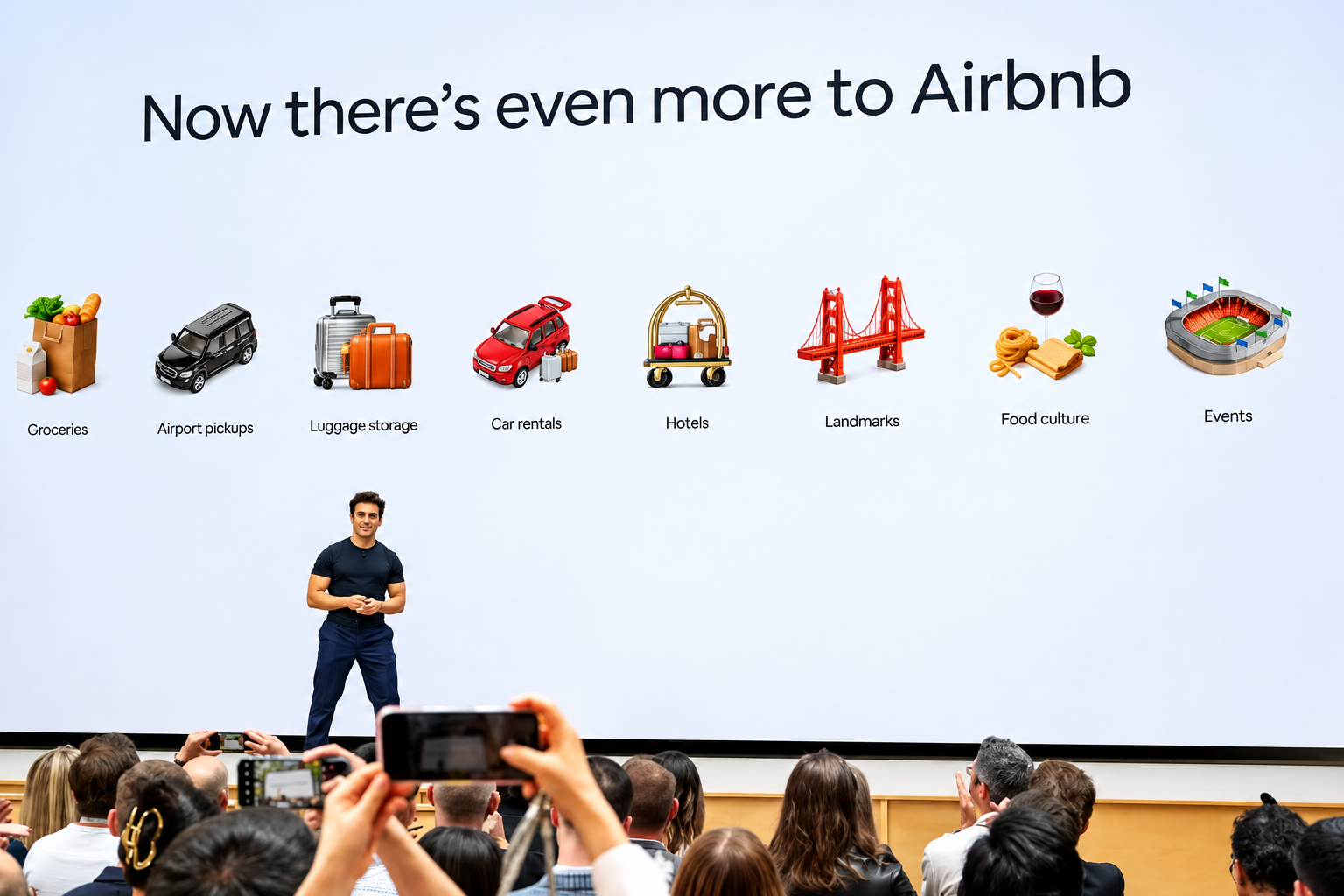
AI agents like Muse can already find you the cheapest hotel room in Paris. But they can’t locate a cheaper version of that Catskills cabin you’ve been eyeing, because it might only be available on Airbnb ABNB -1.43%decrease.
Investors should pay attention to that distinction. When Meta Platforms META 3.38%increase launched its Muse agent last month, travel stocks including Booking Holdings BKNG -1.19%decrease, Expedia and Airbnb all fell sharply.
Airbnb, though, has a real chance to emerge as a winner from the upheaval. The catch: Its stock already reflects above-industry growth. To justify its valuation, Airbnb will need to turn repeat customers into loyal ones.
Online travel companies make much of their money by simplifying search and collecting fees on bookings. AI agents threaten that model.
But not all travel marketplaces are equally exposed. Booking and Expedia largely sell hotel rooms that travelers can also book directly or through competing sites. If an agent can find the same room elsewhere, it has little reason to favor either Booking or Expedia.
Booking and Expedia also sell sponsored listings that steer travelers toward particular properties. Wells Fargo estimates those will account for about 8% of Expedia’s revenue and a much higher percentage of profit next year.
Airbnb has more ways to adapt. More than half its listings are available only on its platform, and more than 90% of its traffic comes directly to its app or website.
The customer relationship doesn’t end after booking, either. Bernstein analyst Richard Clarke notes that 90% of Airbnb guests go on to message their hosts about arrival times, keys or local taxes, giving Airbnb a connection to both sides of the transaction.
How the companies have responded to the possible agentic future is telling.
Expedia quickly signed on as a Muse partner. Airbnb hasn’t, and Chief Executive Brian Chesky says AI chatbots have so far been a boon, sending customers to Airbnb’s website.
Chatbots might work for buying paper towels, he quipped at a Skift conference last month, but people enjoy planning trips. He argued that browsing dozens of homes isn’t something a text-based chatbot is well suited for.
Still, the AI jitters arrived just as Airbnb was persuading investors it deserved its pricey multiple. For years after its 2020 initial public offering, the stock—which trades around 25 to 30 times forward earnings—went nowhere. Investors saw a mature operator trading at a growth premium.
This year, Airbnb growth seems to be accelerating. The stock jumped in August after the company raised its full-year revenue-growth guidance with its second-quarter results. Wells Fargo analyst Ken Gawrelski credits a run of product improvements under a revamped leadership team.
Among the changes: letting guests reserve now and pay later, adding hotels, and a redesigned home page and app. Investors were also betting on what comes next, including thousands more hotels, car rentals and, eventually, advertising.
The irony is that some of those growth drivers push Airbnb closer to the kind of business Booking and Expedia run—the kind of business AI agents could threaten. Even if AI agents capture a large share of travel planning and booking, Airbnb would capture the demand. But it and others would slowly lose control over how customers find and choose properties.
That would undermine the advertising opportunity investors are counting on. The bigger point for Airbnb and other marketplaces is that losing control of customer acquisition could mean surrendering some of their pricing power and margins.
To bulletproof itself, Airbnb might look to another e-commerce giant that has so far kept AI agents at arm’s length: Amazon.
Like Amazon, Airbnb has a loyal customer base and hard-to-match supply. But it has nothing like Prime membership to make customers think twice before taking their business elsewhere.
That is where loyalty comes in. Business travelers stick with Hilton or Marriott because enough nights earn them perks. Leisure travelers rarely accumulate stays with one chain. Airbnb has millions of listings and plenty of repeat customers, but no broad rewards program. It has begun experimenting with credits on hotel stays, but it should make loyalty a priority, not just a promotion.
Airbnb also plans to launch its own AI agent next year. But travelers using an agent might still want it to search Airbnb, Vrbo, Booking and hotel websites alike, rather than limit itself to one company’s inventory.
Eventually, Airbnb might have to strike deals with agent makers, using its unique homes as leverage to negotiate favorable terms, says Gawrelski. Such deals, along with rewards for loyal guests, could over the long term eat into the company’s roughly 13% take rate, he adds. But if they bring in enough additional bookings, the trade-off could be worthwhile.
History offers a reason not to panic. The shift from desktop to mobile unsettled investors in Alphabet and Amazon, but both emerged as major beneficiaries. Companies with valuable assets can come out of a platform shift stronger, if they adapt quickly enough.
Airbnb has homes the bots can’t easily replace. Now it needs to give guests a reason to insist on booking them there.
