
Let’s Redesign The Laptop For A Work-From-Home Era
We asked experts what improvements are coming—and what improvements they want.

By Dan Weil
Wed, Mar 10, 2021 4:59am 7 min
7 min
7 min


We asked experts what improvements are coming—and what improvements they want.
7 min
With remote work by and large here to stay, a lot of focus has turned toward the key work-from-home technology tool: the laptop. But relying so heavily on the laptop has raised all sorts of issues—from camera and sound quality to security and privacy.
What developments are coming to laptops to make remote work easier? And what developments should be coming? Here’s what a variety of experts had to say about that.
The better we get at videoconferencing, the more we notice bad videoconferencing and poor camera angles. Innovation in software will make us all look better on camera.
There’s already software to edit the view of the pupil of your eye so it looks like you’re focused on the camera. It’s not a big leap to think software will scan our faces and present a virtual camera view that shows us at our most flattering angle with a little motion thrown in for realism.
Going a step further, more workers who are in continuous meetings don’t want to stare into a camera or at a single screen all day. Having more than one camera—think a production studio for the home office—could enable meeting software to smoothly switch automatically from one camera to another depending on where you focus your eyes.
We should also see an evolution of tablet and laptop design to improve the way we look on camera. If you have a device with a detachable keyboard, you can already position your screen and its camera on a stand to get a better angle. Separating the laptop camera so you can put it anywhere is a logical step.
You already have another camera: your smartphone. With the right app, you can send smartphone-camera video to your computer, and, jumping through a hoop or two, get that video into a meeting. This could be more plug-and-play in the future, making the camera on your mobile device just another peripheral that you can put wherever you like for your computer to use.
Cameras under the screen are coming in smartphone design. That will make its way to laptops. We’ll look our colleagues right in the eye on screen and we won’t need to make any special effort.
—Adam Preset, senior research director, collaboration and employee experience, at GartnerInc., a research and advisory company
Perhaps the least-expensive and biggest-impact upgrade to current speaking/hearing systems on laptops would be better microphones. Not only does everyone on conferences sound echo-y and tinny, but it is hard to understand the words sometimes.
And, just as important, it can be difficult to hear those small sounds that signal approval, such as uh-huh; confusion, such as hmm; or when someone wants to speak, such as ah or mmm. The inability to hear these small signalling sounds makes conversations more stressful and less effective.
Real-time, artificial-intelligence analysis of conversations can solve this problem, providing additional cues that help people have more meaningful conversations. This really works and is available today.
In addition, research shows that the audio quality is just as important as video quality when judging the overall “quality” and “presence” of the conference experience. While microphone quality is most important to the audio experience, speaker quality is also a big factor. With additional speakers, one could have small group meetings that were much closer to the “natural” experience of in-person meetings. They would be so much less stressful and more effective.
—Alex “Sandy” Pentland, Toshiba professor of media arts and science, Massachusetts Institute of Technology
For most people the main form of connectivity for their laptop is wireless. Various forms of wireless connectivity are being substantially improved. The latest generation of Wi-Fi (Wi-Fi 6) hit the market in 2019. It offers increased speed, lower latency and the ability to more effectively share Wi-Fi spectrum with the ever-increasing number of connected devices in homes.
More recently, Wi-Fi 6E products have been announced that will use new spectrum at 6 GHz that the Federal Communications Commission recently made available for unlicensed access. This represents the biggest increase in spectrum for Wi-Fi in 20 years.
Looking forward, work has already begun on Wi-Fi 7. Each of these brings further performance improvements in speed and latency. In parallel, the rise of 5G cellular is enabling similar improvements for laptops equipped with 5G modems, with the added benefit of being able to easily connect when users venture out of their homes.
The improvements in Wi-Fi and 5G can enable laptops to support higher-quality videoconferencing and augmented-reality/virtual-reality applications. They will also allow users to unload much of their memory and computing into the cloud, resulting in thinner and lighter laptops with longer battery lives.
—Randall Barry, John Dever professor of electrical and computer engineering, Northwestern University
Screen sizes of individual devices are unlikely to get bigger, but the total amount of screen real estate will increase. People will prefer using multiple monitors for better multitasking—to access other applications while videoconferencing, for example.
People will benefit from software that can flexibly migrate their work across multiple screens, ranging from situated workstations to laptop computers to mobile devices. For instance, people might want to move their meeting to a different device to enable a walk outside or a move to the kitchen.
If there is a strong demand for working outside, software interfaces will have to become more adaptive, adjusting contrast and brightness.
We will need longer-lasting batteries to power brighter screens. And computer processors and operating systems need to be smarter to allocate resources from elsewhere if maximizing screen brightness is a higher priority. We might even see alternate display technologies (such as head-mounted retinal displays) that can avoid the impact of outdoor light.
—Xiang “Anthony” Chen, assistant professor of electrical and computer engineering, UCLA Samueli School of Engineering
All sorts of audio issues arise with work-from-home use of laptops. Roommates quarrelling, pets barking or just the hum of the city have been hard to suppress while laptop users are in video or audioconferences. However, help is on its way.
Algorithms on laptops will soon be able to separate out background noises, and do so fast enough that the disturbances get continuously filtered out before leaving the laptop. The same can be done at the receiver’s end: If Bob’s laptop cannot filter out its own background noise, his counterpart Alice could run the filtering, so her laptop speakers only play Bob’s clear voice.
Of course, random background noises are harder to eliminate than steady, familiar noises. But these filtering algorithms can retrain themselves to become better gatekeepers the next time around.
Peering further down the audio road, it might even be possible for laptops to create sound bubbles around the user’s head. This means the laptop speakers would radiate the sound in a way that’s clearly audible around a user’s ears, while ensuring near silence close by, say where the user’s roommate is reading.
—Romit Roy Choudhury, professor of electrical and computer engineering, University of Illinois
Virtual backgrounds are on their way to being a necessary part of the online meeting experience.
As a host, dynamic background images can go a long way in differentiating your 10 a.m. Zoom meeting from the 3:30 p.m. meeting. Likewise, as a meeting attendee, you can make your contributions more memorable by either removing the distractions of your living room or by using a background that might complement the subject matter or time of day of the meeting.
Good lighting and a laptop camera that can place you in front of an abstract design or tropical background without looking like you were cut out and pasted in with a pair of safety scissors will aid in making virtual meetings feel more professional.
—Peter Plotica, manager of web and digital design, Data Science Institute, Columbia University
Working from home creates a number of security concerns for companies, which will lead to enhancements for laptops that you can and can’t see.
As for those that are visible, we’ve already started to see laptops adopting new fingerprint recognition to unlock a device. Similarly, laptop manufacturers may adopt facial recognition or other biometric unlocking software similar to what we have grown accustomed to on cellphones.
Beyond the device itself, we may see a rise in personal and corporate virtual private networks and multifactor authentication. In addition, companies may focus on post-quantum security, leveraging cryptographic algorithms in their systems.
—Mark Gibson, U.S. technology, media and telecommunications leader, KPMG
Laptops are coming with various hardware and software to track them if they are lost or stolen.
The most obvious method is GPS tracking of laptops. There are software tools available with all popular laptop operating systems that use GPS to find the device. Still, GPS tracking can be disabled, and its effectiveness can be compromised indoors.
The second line of defense is radio frequency identification tags. The low-cost RFID tags put on machines in retail stores don’t work well, due to the presence of significant amounts of metal in laptops. To ensure high read rates at a distance, metal mount tags can be placed on the laptop. Then a corporation can use its existing RFID-based tracking system to keep tabs on its laptops.
One issue with the surge in tracking is whether the user’s privacy will be breached. There’s the perennial dilemma between privacy and utility. It will be essential for lawmakers to roll out legal guidance as to how such ubiquitous tracking information can be used by law enforcement in cases involving private citizens.
—Somali Chaterji, assistant professor of agricultural and biological engineering, Purdue University
Individuals and companies are focusing on how to protect work laptops now that they are being used more often from the home. There are a number of basic security hygiene rules that can be put in place to protect a device.
These include screen-lock timers, so kids can’t access a device when the employee has left the room; limiting administrative-level privileges to the general workforce, so others can’t download inappropriate products onto a device; and using complex passwords or multifactor authentication to provide foundational defence against misuse by casual threats, such as family members, friends or domestic workers.
Meanwhile, security-conscious organizations are placing added security tools and layered encryption onto devices to protect them not only from family members, but also nation-state actors and the common thief. These tools can limit unauthorized user behaviour, such as plugging in removable media devices or using Wi-Fi at a local coffee shop.
Organizations also might deploy a heartbeat security model. That’s when devices have an authorized amount of time they are allowed to work outside organization-owned buildings or off the enterprise network. In addition, laptops can be equipped with advanced security software that takes defensive actions, such as powering off devices to wipe clean the entire hard drive if the device doesn’t check in within the approved intervals.
 Copyright 2020, Dow Jones & Company, Inc. All Rights Reserved Worldwide. LEARN MORE




BNW Developments has established a Sydney presence, joining Arada and Sobha Realty among the growing number of UAE developers pursuing Australian buyers and development opportunities.
The Australian leather house has opened an immersive four-day pop-up in Manhattan, unveiling its Bloom Collection and redefining what a product launch can look like.
AI-powered travel agents are challenging online booking platforms, but Airbnb’s exclusive listings and direct customer relationships could give it an edge. Its next challenge: turning repeat guests into loyal customers through stronger rewards and innovation.
3 min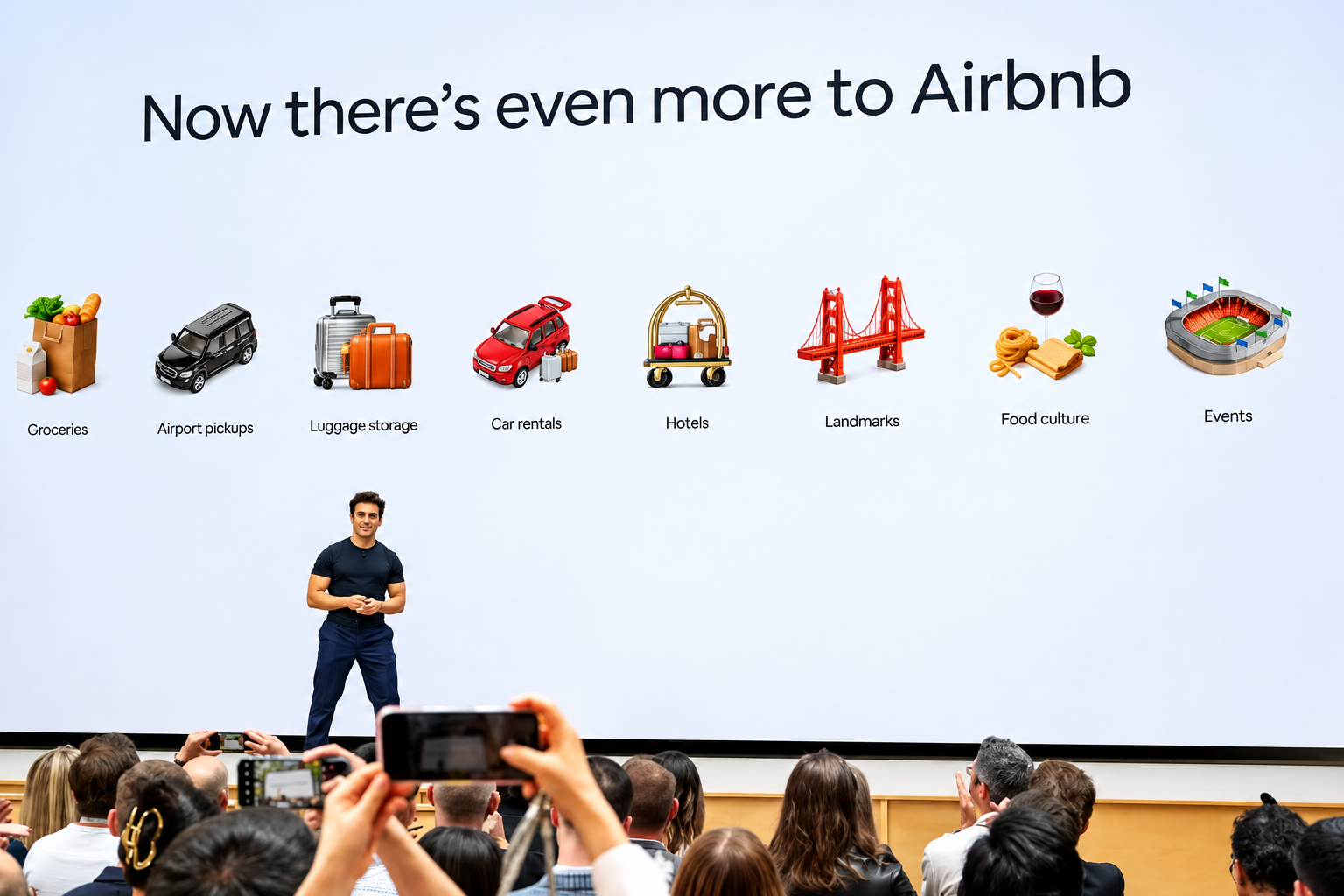
AI agents like Muse can already find you the cheapest hotel room in Paris. But they can’t locate a cheaper version of that Catskills cabin you’ve been eyeing, because it might only be available on Airbnb ABNB -1.43%decrease.
Investors should pay attention to that distinction. When Meta Platforms META 3.38%increase launched its Muse agent last month, travel stocks including Booking Holdings BKNG -1.19%decrease, Expedia and Airbnb all fell sharply.
Airbnb, though, has a real chance to emerge as a winner from the upheaval. The catch: Its stock already reflects above-industry growth. To justify its valuation, Airbnb will need to turn repeat customers into loyal ones.
Online travel companies make much of their money by simplifying search and collecting fees on bookings. AI agents threaten that model.
But not all travel marketplaces are equally exposed. Booking and Expedia largely sell hotel rooms that travelers can also book directly or through competing sites. If an agent can find the same room elsewhere, it has little reason to favor either Booking or Expedia.
Booking and Expedia also sell sponsored listings that steer travelers toward particular properties. Wells Fargo estimates those will account for about 8% of Expedia’s revenue and a much higher percentage of profit next year.
Airbnb has more ways to adapt. More than half its listings are available only on its platform, and more than 90% of its traffic comes directly to its app or website.
The customer relationship doesn’t end after booking, either. Bernstein analyst Richard Clarke notes that 90% of Airbnb guests go on to message their hosts about arrival times, keys or local taxes, giving Airbnb a connection to both sides of the transaction.
How the companies have responded to the possible agentic future is telling.
Expedia quickly signed on as a Muse partner. Airbnb hasn’t, and Chief Executive Brian Chesky says AI chatbots have so far been a boon, sending customers to Airbnb’s website.
Chatbots might work for buying paper towels, he quipped at a Skift conference last month, but people enjoy planning trips. He argued that browsing dozens of homes isn’t something a text-based chatbot is well suited for.
Still, the AI jitters arrived just as Airbnb was persuading investors it deserved its pricey multiple. For years after its 2020 initial public offering, the stock—which trades around 25 to 30 times forward earnings—went nowhere. Investors saw a mature operator trading at a growth premium.
This year, Airbnb growth seems to be accelerating. The stock jumped in August after the company raised its full-year revenue-growth guidance with its second-quarter results. Wells Fargo analyst Ken Gawrelski credits a run of product improvements under a revamped leadership team.
Among the changes: letting guests reserve now and pay later, adding hotels, and a redesigned home page and app. Investors were also betting on what comes next, including thousands more hotels, car rentals and, eventually, advertising.
The irony is that some of those growth drivers push Airbnb closer to the kind of business Booking and Expedia run—the kind of business AI agents could threaten. Even if AI agents capture a large share of travel planning and booking, Airbnb would capture the demand. But it and others would slowly lose control over how customers find and choose properties.
That would undermine the advertising opportunity investors are counting on. The bigger point for Airbnb and other marketplaces is that losing control of customer acquisition could mean surrendering some of their pricing power and margins.
To bulletproof itself, Airbnb might look to another e-commerce giant that has so far kept AI agents at arm’s length: Amazon.
Like Amazon, Airbnb has a loyal customer base and hard-to-match supply. But it has nothing like Prime membership to make customers think twice before taking their business elsewhere.
That is where loyalty comes in. Business travelers stick with Hilton or Marriott because enough nights earn them perks. Leisure travelers rarely accumulate stays with one chain. Airbnb has millions of listings and plenty of repeat customers, but no broad rewards program. It has begun experimenting with credits on hotel stays, but it should make loyalty a priority, not just a promotion.
Airbnb also plans to launch its own AI agent next year. But travelers using an agent might still want it to search Airbnb, Vrbo, Booking and hotel websites alike, rather than limit itself to one company’s inventory.
Eventually, Airbnb might have to strike deals with agent makers, using its unique homes as leverage to negotiate favorable terms, says Gawrelski. Such deals, along with rewards for loyal guests, could over the long term eat into the company’s roughly 13% take rate, he adds. But if they bring in enough additional bookings, the trade-off could be worthwhile.
History offers a reason not to panic. The shift from desktop to mobile unsettled investors in Alphabet and Amazon, but both emerged as major beneficiaries. Companies with valuable assets can come out of a platform shift stronger, if they adapt quickly enough.
Airbnb has homes the bots can’t easily replace. Now it needs to give guests a reason to insist on booking them there.
