
Why Doing Nothing Can Make You More Productive
Here are ways to get your brain a rest.

By Annemarie Dooling
Wed, Mar 17, 2021 11:42am 2 min
2 min
2 min


Here are ways to get your brain a rest.
2 min
One secret to achieving more: Finding time to do nothing.
In our efforts to squeeze every second from the day, it seems counterintuitive to watch a pot of coffee boil or gaze out the window. But your brain uses those free periods for important cleanup work, neuroscience research indicates. And during the pandemic, as the boundaries between work and home have blurred, it has become harder to create mental breaks.
Even brief timeouts help the brain reinforce long-term learning and productivity. You come out of downtime able to learn more, and can access that learning faster. “When you take a break, you may want to do something mind-consuming to help with motivation, but technically your best way of taking a break is to do something mindless,” says Barbara Oakley, a professor of engineering at Oakland University in Michigan who teaches a popular online course on how to open your mind to learning.
To ease into allowing yourself to do nothing, start with something familiar. Here are some techniques.
A natural place to start slowing down is a habit that’s already built into your schedule, such as taking a shower. Letting your mind wander here can be a stepping stone to quieting more hectic environments. Or try blocking off time to look out your window. In her book “How To Do Nothing: Resisting the Attention Economy,” writer Jenny Odell describes how bird-watching became her favourite slow-down activity: Exhausted after pulling an all-nighter, she had gazed out the window and noticed a cluster of yellow birds. “I burned out, and in that state of forced relaxation, that happened to be when I noticed,” she says.
Dr Oakley points out that while our body’s dopamine reward system might encourage tasks, keeping score is labour. Instead of competing against your crossword best, find a puzzle game on your phone that requires simply swiping.
Leave the Fitbit at home, and free up an hour to absorb the scenery in silence. Being in nature has been linked to a multitude of physical and mental benefits. But be sure not to create a competition, which can take the relaxation out of the activity. “We get fixated on taking 10,000 steps,” Ms Odell says. “Yes, it’s good to go for a walk, but this isn’t a job.” Enjoy the meandering, rather than the race, she suggests.
Borrowing from the downtime that the Italians call dolce far niente (the sweetness of doing nothing), the act of cooking a meal can encourage a wandering mind. It can be tempting to create a culinary masterpiece to make the time worth it, but fight the urge. Ms Odell suggests trying to “see the nonwork time as something other than the negative space left after work.” Try a simple recipe that requires slow preparation. Not only is the activity downtime, but bonus points for resting at the table between courses.
If you’re struggling to get enough rest at night, try a short nap. Simply find a comfortable chair, and breathe. While you’re napping, remember that your brain never is. Rest is one of the most important ways to enhance the neurological flexibility to build the kind of conceptual understanding that is related to identity and purpose, says Mary Helen Immordino-Yang, a professor of education, psychology and neuroscience at the University of Southern California. Consider that a reason to lose the guilt over a daily rest.
 Copyright 2020, Dow Jones & Company, Inc. All Rights Reserved Worldwide. LEARN MORE




BNW Developments has established a Sydney presence, joining Arada and Sobha Realty among the growing number of UAE developers pursuing Australian buyers and development opportunities.
The Australian leather house has opened an immersive four-day pop-up in Manhattan, unveiling its Bloom Collection and redefining what a product launch can look like.
AI-powered travel agents are challenging online booking platforms, but Airbnb’s exclusive listings and direct customer relationships could give it an edge. Its next challenge: turning repeat guests into loyal customers through stronger rewards and innovation.
3 min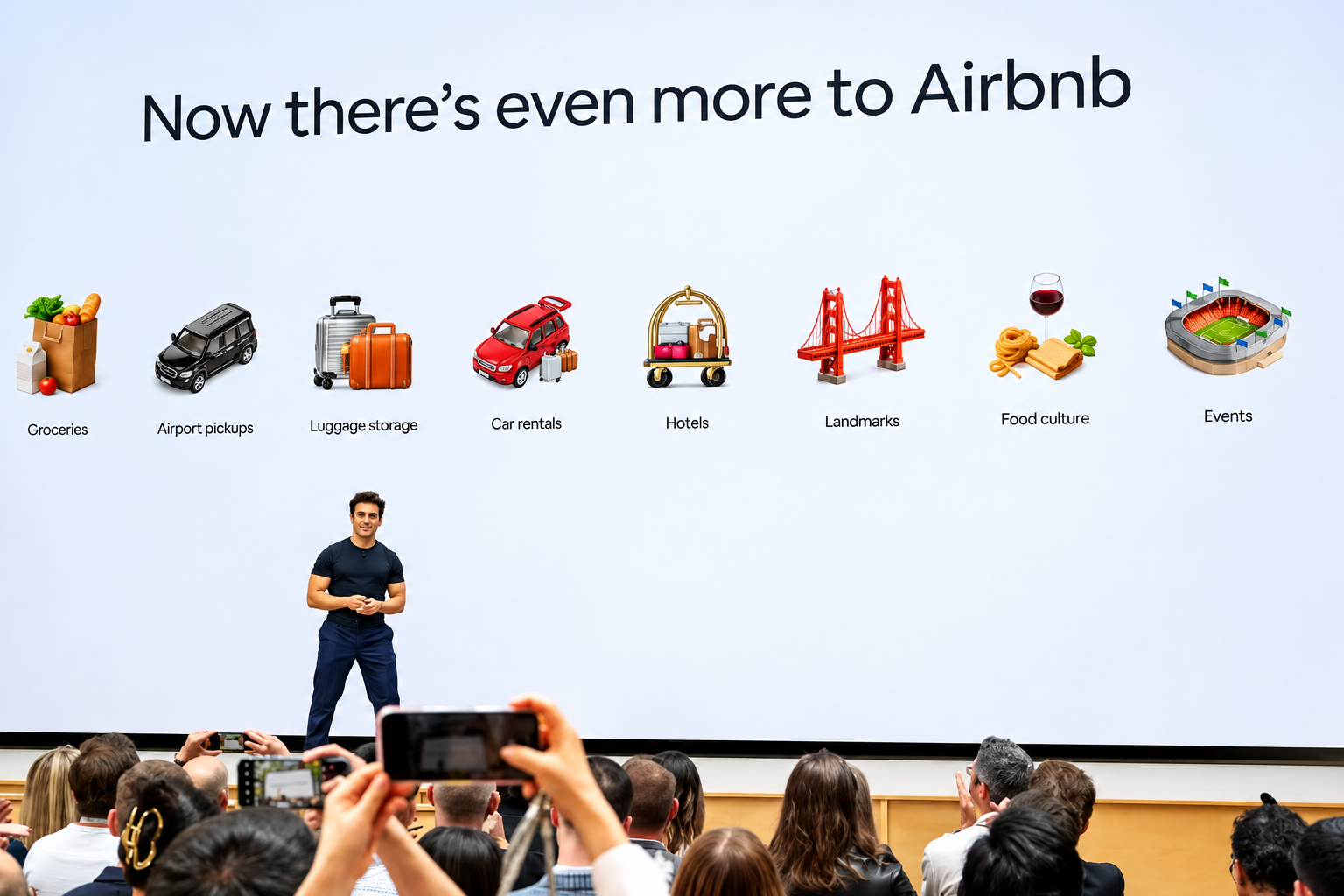
AI agents like Muse can already find you the cheapest hotel room in Paris. But they can’t locate a cheaper version of that Catskills cabin you’ve been eyeing, because it might only be available on Airbnb ABNB -1.43%decrease.
Investors should pay attention to that distinction. When Meta Platforms META 3.38%increase launched its Muse agent last month, travel stocks including Booking Holdings BKNG -1.19%decrease, Expedia and Airbnb all fell sharply.
Airbnb, though, has a real chance to emerge as a winner from the upheaval. The catch: Its stock already reflects above-industry growth. To justify its valuation, Airbnb will need to turn repeat customers into loyal ones.
Online travel companies make much of their money by simplifying search and collecting fees on bookings. AI agents threaten that model.
But not all travel marketplaces are equally exposed. Booking and Expedia largely sell hotel rooms that travelers can also book directly or through competing sites. If an agent can find the same room elsewhere, it has little reason to favor either Booking or Expedia.
Booking and Expedia also sell sponsored listings that steer travelers toward particular properties. Wells Fargo estimates those will account for about 8% of Expedia’s revenue and a much higher percentage of profit next year.
Airbnb has more ways to adapt. More than half its listings are available only on its platform, and more than 90% of its traffic comes directly to its app or website.
The customer relationship doesn’t end after booking, either. Bernstein analyst Richard Clarke notes that 90% of Airbnb guests go on to message their hosts about arrival times, keys or local taxes, giving Airbnb a connection to both sides of the transaction.
How the companies have responded to the possible agentic future is telling.
Expedia quickly signed on as a Muse partner. Airbnb hasn’t, and Chief Executive Brian Chesky says AI chatbots have so far been a boon, sending customers to Airbnb’s website.
Chatbots might work for buying paper towels, he quipped at a Skift conference last month, but people enjoy planning trips. He argued that browsing dozens of homes isn’t something a text-based chatbot is well suited for.
Still, the AI jitters arrived just as Airbnb was persuading investors it deserved its pricey multiple. For years after its 2020 initial public offering, the stock—which trades around 25 to 30 times forward earnings—went nowhere. Investors saw a mature operator trading at a growth premium.
This year, Airbnb growth seems to be accelerating. The stock jumped in August after the company raised its full-year revenue-growth guidance with its second-quarter results. Wells Fargo analyst Ken Gawrelski credits a run of product improvements under a revamped leadership team.
Among the changes: letting guests reserve now and pay later, adding hotels, and a redesigned home page and app. Investors were also betting on what comes next, including thousands more hotels, car rentals and, eventually, advertising.
The irony is that some of those growth drivers push Airbnb closer to the kind of business Booking and Expedia run—the kind of business AI agents could threaten. Even if AI agents capture a large share of travel planning and booking, Airbnb would capture the demand. But it and others would slowly lose control over how customers find and choose properties.
That would undermine the advertising opportunity investors are counting on. The bigger point for Airbnb and other marketplaces is that losing control of customer acquisition could mean surrendering some of their pricing power and margins.
To bulletproof itself, Airbnb might look to another e-commerce giant that has so far kept AI agents at arm’s length: Amazon.
Like Amazon, Airbnb has a loyal customer base and hard-to-match supply. But it has nothing like Prime membership to make customers think twice before taking their business elsewhere.
That is where loyalty comes in. Business travelers stick with Hilton or Marriott because enough nights earn them perks. Leisure travelers rarely accumulate stays with one chain. Airbnb has millions of listings and plenty of repeat customers, but no broad rewards program. It has begun experimenting with credits on hotel stays, but it should make loyalty a priority, not just a promotion.
Airbnb also plans to launch its own AI agent next year. But travelers using an agent might still want it to search Airbnb, Vrbo, Booking and hotel websites alike, rather than limit itself to one company’s inventory.
Eventually, Airbnb might have to strike deals with agent makers, using its unique homes as leverage to negotiate favorable terms, says Gawrelski. Such deals, along with rewards for loyal guests, could over the long term eat into the company’s roughly 13% take rate, he adds. But if they bring in enough additional bookings, the trade-off could be worthwhile.
History offers a reason not to panic. The shift from desktop to mobile unsettled investors in Alphabet and Amazon, but both emerged as major beneficiaries. Companies with valuable assets can come out of a platform shift stronger, if they adapt quickly enough.
Airbnb has homes the bots can’t easily replace. Now it needs to give guests a reason to insist on booking them there.
